Telegram Sessions
The Telegram Sessions page shows all accounts that have linked their Telegram to your store. You can monitor active sessions and remove them when needed.
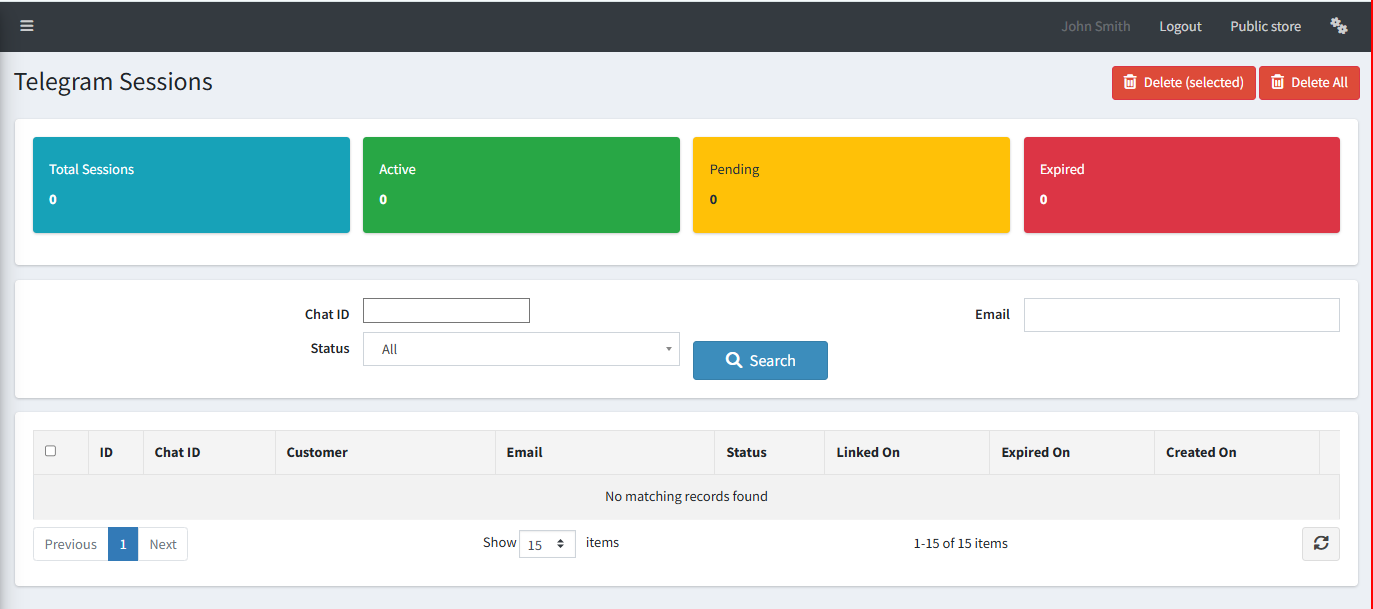
Session Summary Cards
| Card | Description |
|---|---|
| Total Sessions | The total number of Telegram accounts ever linked. |
| Active | Sessions currently logged in and able to send commands. |
| Pending | Sessions where the link code was generated but not yet confirmed. |
| Expired | Sessions that have timed out or been manually expired. |
Search and Filter
You can search sessions by Chat ID, Email, or Status (All, Active, Pending, Expired) and click Search to filter the list.
Session List Columns
| Column | Description |
|---|---|
| ID | Unique session record ID. |
| Chat ID | The Telegram Chat ID of the linked user. |
| Customer | The nopCommerce customer account linked to this session. |
| Email address of the linked customer. | |
| Status | Current session status — Active, Pending, or Expired. |
| Linked On | The date and time the account was successfully linked. |
| Expired On | The date and time the session expired (if applicable). |
| Created On | The date and time the link code was first generated. |
Tip: Use Delete (selected) to remove specific sessions, or Delete All to clear all sessions at once. This forces all users to re-authenticate.