Real-World Scenarios of Use
Home Page Popup
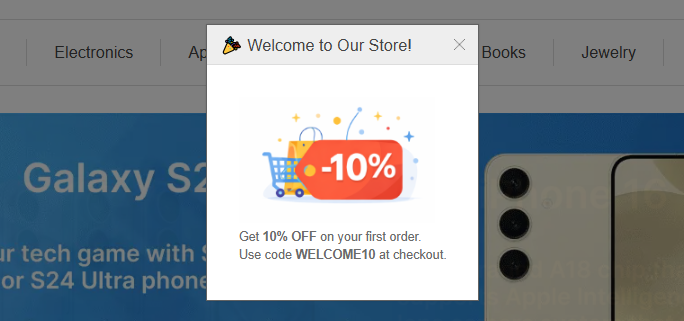
Goal: Engage visitors the moment they arrive. This popup triggers automatically when a customer lands on your Home Page. It’s ideal for announcements, welcome discounts, or flash sale alerts.
Key Behavior:
- Instant Visibility : Appears immediately to grab attention.
- Dynamic Content : Displays the specific Topic selected in settings (image, text, or video).
- Distraction-Free : Unlike other popups, the Home Page popup does not show a newsletter subscription form. The focus stays 100% on your announcement.
Abandoned Cart Popup
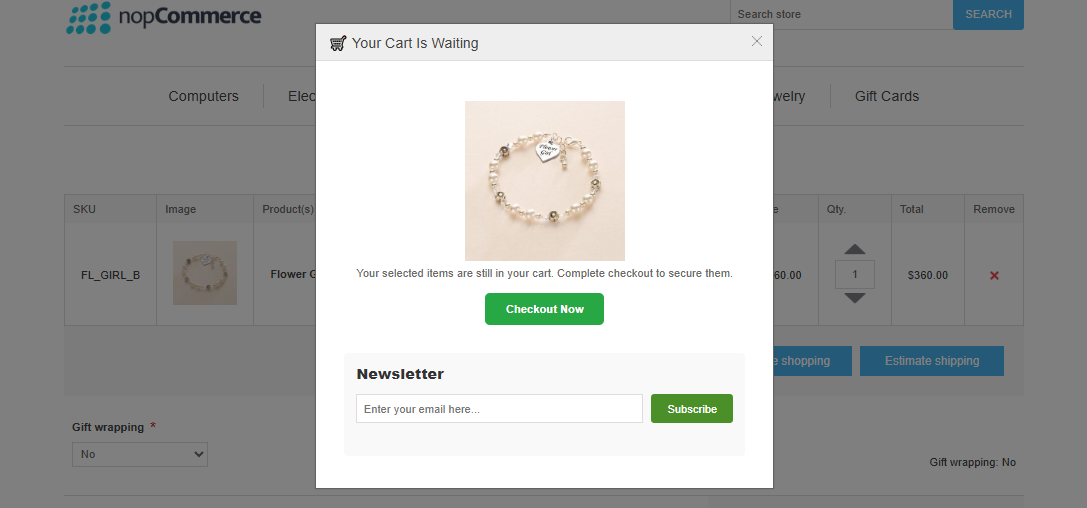
Goal: Recover lost revenue before a customer leaves. This intelligent popup triggers only when a customer has items in their cart and attempts to close the tab or browser window (Exit-Intent).
Key Behavior:
- Smart Trigger : Detects mouse movement toward the browser’s close button.
- Context-Aware : Identifies the user type and decides what content to show.
How It Adapts to Different Users
- Guest Users
- What they see : Message + Newsletter Form
- Why : Since the user is unknown, the popup includes a subscription form to capture their email as a lead—even if they don’t complete the purchase.

- Logged-in Customers
- What they see : Message only (No Form)
- Why : The email is already known, so the form is hidden. The popup focuses purely on the offer (e.g., “Use code SAVE10”) to help them complete checkout faster.