AI Processing Logs
The AI Processing Logs page shows a detailed record of every question the chatbot has processed. This is useful for checking if the bot is working correctly and understanding how it is responding to customers.
Log Columns
| Column | Description |
|---|---|
| ID | A unique number for each log entry. |
| Conversation ID | Links the log entry to a specific customer conversation. |
| Customer ID | The ID of the customer or visitor who asked the question. |
| User Message | The exact message the customer sent to the chatbot. |
| Intent | What the AI understood the customer to be asking (e.g. greeting, order query, kb query). |
| Confidence | How certain the AI was about its answer, shown as a percentage. Higher is better. |
| Action | The type of action the AI took (e.g. general reply, order history lookup). |
| Status | Whether the request was completed successfully. |
| Total Time | How many seconds it took to generate a response. |
| Created On | The date and time the message was processed. |
Search and Filter Options
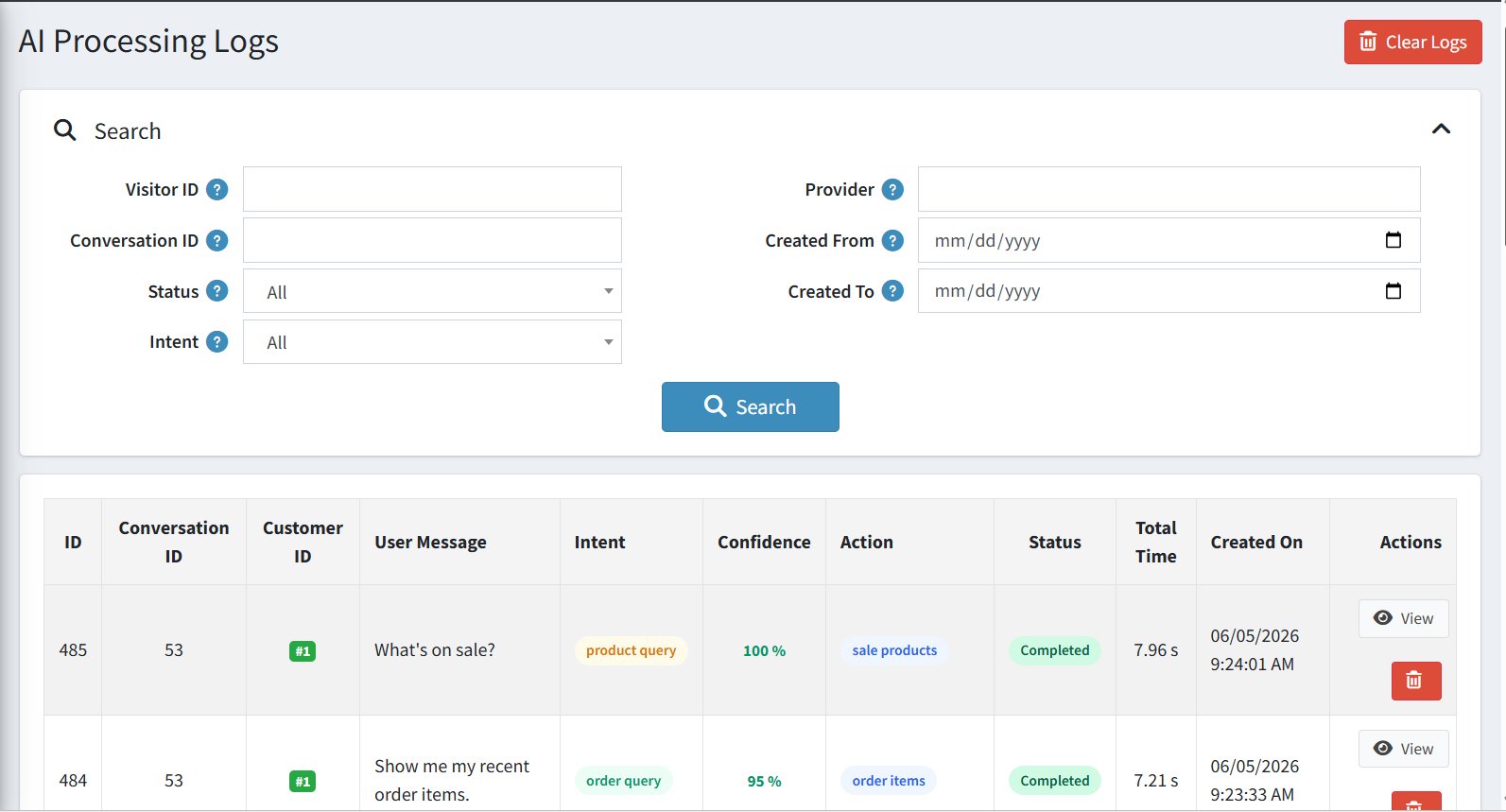
| Filter | Description |
|---|---|
| Visitor ID / Conversation ID | Search logs for a specific visitor or conversation. |
| Provider | Filter by the AI model provider used. |
| Status | Filter by whether requests completed successfully or had errors. |
| Intent | Filter by the type of question asked (e.g. show only order queries). |
| Created From / Created To | Filter logs by a specific date range. |
| Clear Logs | Permanently deletes all log entries. Use with caution. |