Bot Activity Log
The Bot Activity Log provides a complete audit trail of every command and action performed through the Telegram bot. Use it to review what was done, by whom, and whether it succeeded.
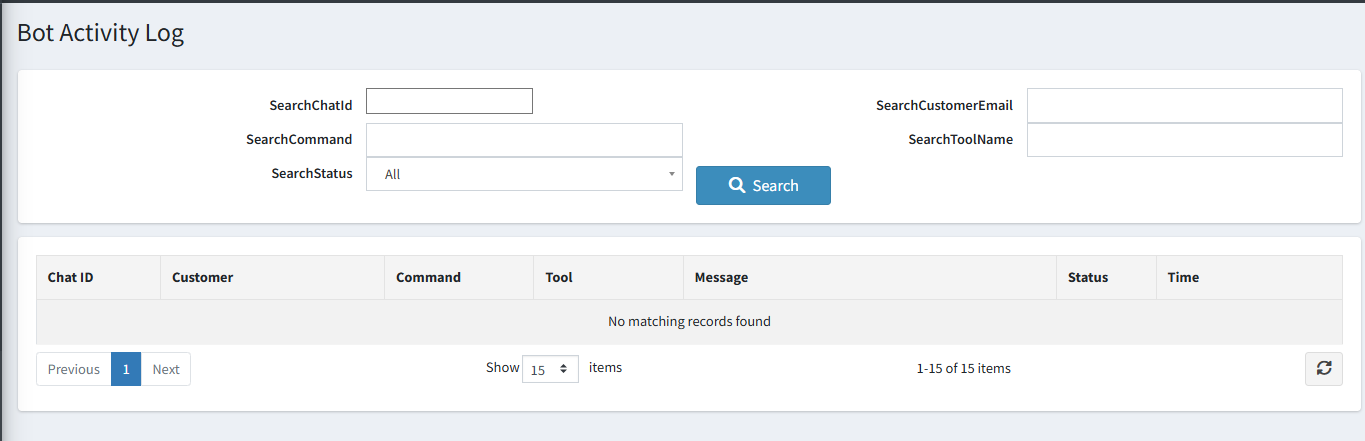
Search and Filter Options
| Filter | Description |
|---|---|
| Search Chat ID | Filter logs for a specific Telegram Chat ID. |
| Search Customer Email | Filter by the email address of the linked customer. |
| Search Command | Filter by the command or message the user sent. |
| Search Tool Name | Filter by the specific AI tool that was invoked. |
| Search Status | Filter by outcome — All, Success, Error, or Blocked. |
Log List Columns
| Column | Description |
|---|---|
| Chat ID | The Telegram Chat ID that sent the command. |
| Customer | The linked nopCommerce customer account. |
| Command | The message or command the user typed. |
| Tool | The specific registered tool that was called to execute the action. |
| Message | A summary of what happened — success confirmation or error detail. |
| Status | Color-coded outcome: Success (green), Error (red), Blocked (orange). |
| Time | When the command was processed. |
Note: Old logs are automatically removed based on the retention period configured in settings. You can also manually clear logs from the settings page.