Scheduled Reports
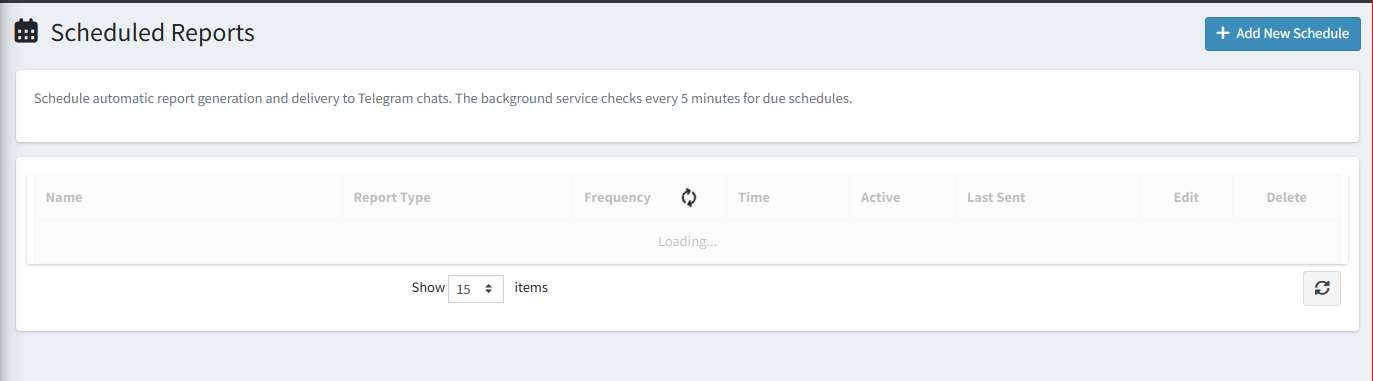
The Scheduled Reports page lets you set up automatic report delivery to Telegram. Reports are generated in the background and sent on your chosen schedule without any manual action.
Available Report Types
| Report | Description |
|---|---|
| Sales Summary | Overall revenue and order totals for the period. |
| Bestsellers | Top-selling products ranked by quantity or revenue. |
| Customer Report | New and active customer counts. |
| Sales by Country | Revenue breakdown by customer country. |
| Never Sold Products | Products with zero sales in the selected period. |
| Low Stock | Products below the configured stock threshold. |
| Revenue | Detailed revenue figures with trend comparison. |
| Customer Acquisition | New customer registrations over time. |
Export Formats
Reports can be downloaded or delivered in Excel (XLSX), CSV, or PDF format.
Creating a Schedule
Click + Add New Schedule in the top-right corner and fill in:
| Field | Description |
|---|---|
| Name | A label for this schedule (e.g. "Weekly Sales to Manager"). |
| Report Type | The report to generate (see list above). |
| Frequency | Daily, Weekly, or Monthly. |
| Time | The time of day to generate and send the report. |
| Active | Toggle to enable or pause this schedule. |
Schedule List Columns
| Column | Description |
|---|---|
| Name | The label for this schedule. |
| Report Type | Which report is being sent. |
| Frequency | How often the report is delivered. |
| Time | Scheduled send time. |
| Active | Whether the schedule is currently running. |
| Last Sent | When the report was last successfully delivered. |
| Edit | Modify this schedule. |
| Delete | Remove this schedule permanently. |
Tip: Use the Send Now option on a schedule to deliver an immediate report without waiting for the scheduled time.