Settings
The NopBot Admin AI — Settings page is the single configuration page that controls the entire plugin. It is divided into the following sections: General Settings and OpenRouter Configuration.
General Settings
| Setting | Description |
|---|---|
| Enable Plugin | Checked (ON) — Activates the plugin and the AI chat widget in the admin panel. |
| Low Stock Threshold | 5 — The minimum stock quantity below which a product is flagged as low stock in health checks and alerts. |
OpenRouter Configuration
These settings connect the plugin to the OpenRouter AI service that powers all chat responses.
| Setting | Description |
|---|---|
| API Key | Your secret OpenRouter API key. Required for the AI to function. |
| AI Model | google/gemini-3.1-flash-lite — The AI model used to generate all responses. |
| API Base URL | https://openrouter.ai/api/v1/chat/completions — The OpenRouter service endpoint. Leave unchanged unless instructed otherwise. |
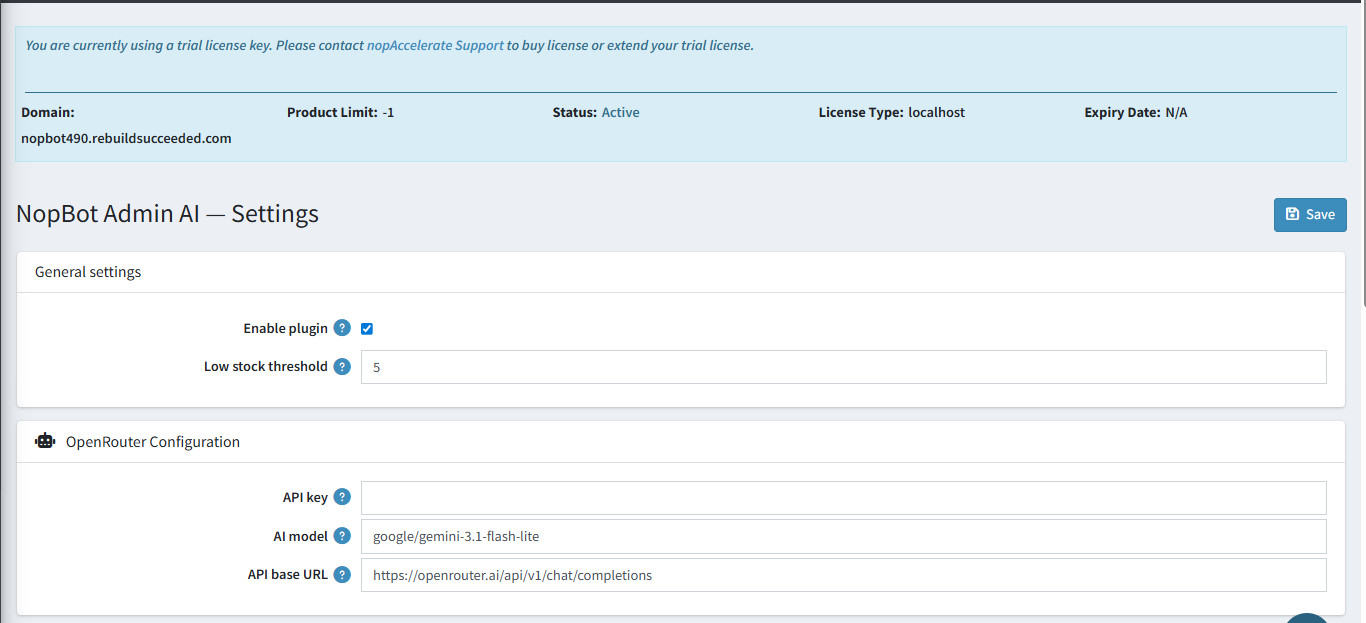
Note: After entering your API key and model, click Save in the top-right corner. The plugin will begin connecting to OpenRouter immediately.