Registered Tools
The NopBot AI Registered Tools page shows every store management command the AI can execute on your behalf. Each tool maps to a specific nopCommerce permission and is only available to users whose role holds that permission.
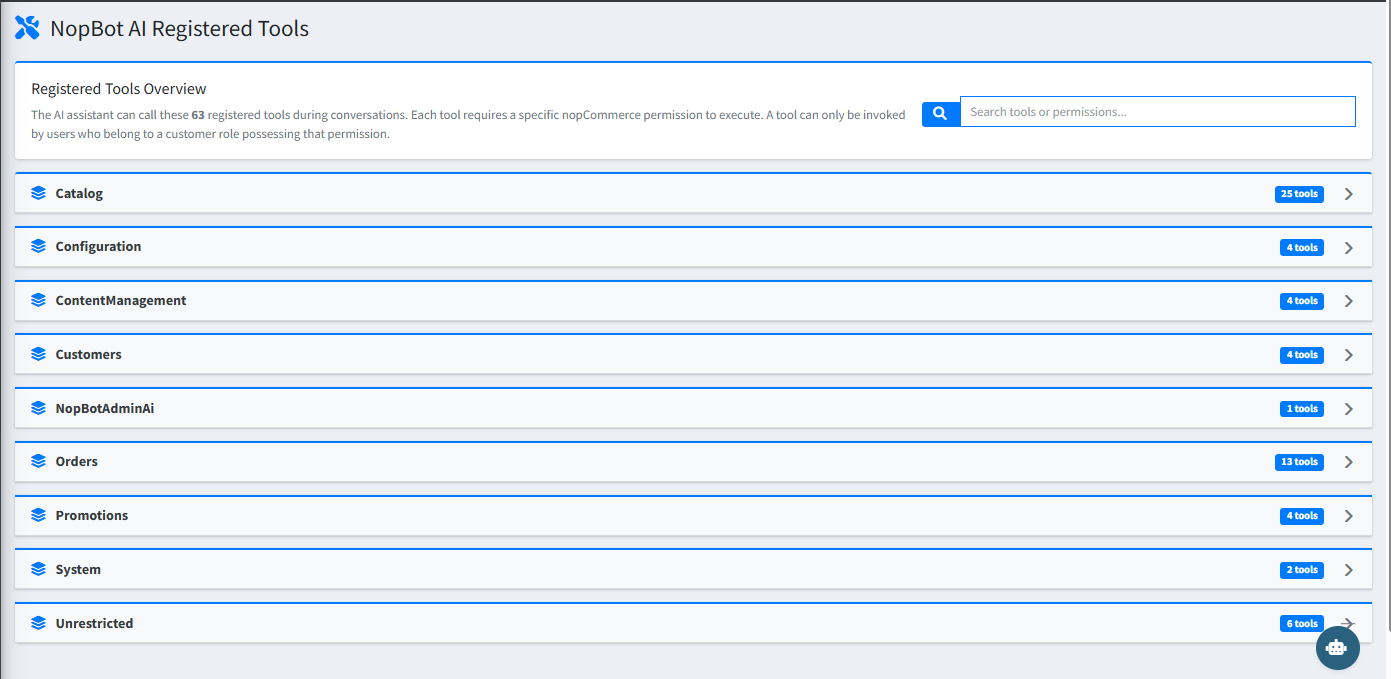
There are 63 registered tools across the following categories:
| Category | Tools | Examples |
|---|---|---|
| Catalog | 25 | Add product attributes, adjust stock, approve reviews, assign categories, create manufacturers |
| Orders | 13 | Add order notes, create shipments, approve returns, update order status, process refunds, void orders |
| Customers | 4 | Update customer details, adjust reward points |
| Promotions | 4 | Create discounts, gift cards, email campaigns |
| ContentManagement | 4 | Create and update topic pages (About Us, Shipping Policy, etc.) |
| Configuration | 4 | Update store settings, clear cache, configure tax rates, toggle payment methods |
| System | 2 | Send emails, system-level actions |
| NopBotAdminAi | 1 | Plugin-specific internal tool |
| Unrestricted | 6 | Navigation, help, and general information commands |
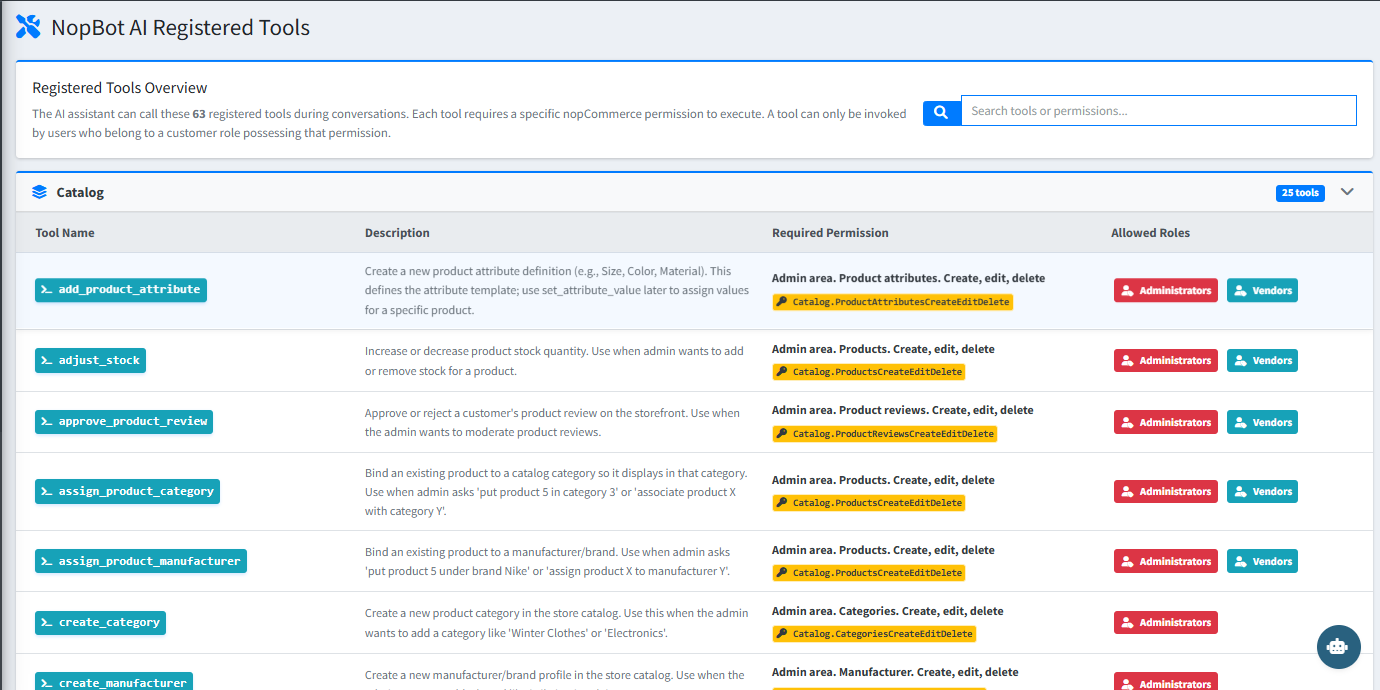
Tip: Use the Search tools or permissions box at the top of the page to quickly find a specific tool by name or permission string.
How Tools Work
- Type a plain-English command in the AI chat (e.g. "Adjust stock for product ID 5 by +10").
- The AI identifies the correct tool, confirms the action with you, and executes it only after your approval.
- Read-only actions (search, get, list) execute immediately. Write operations always require confirmation first.