Scenarios of Use
The following examples show how nopCommerce AI Analytics helps store admins make better decisions faster.
Daily Performance Check
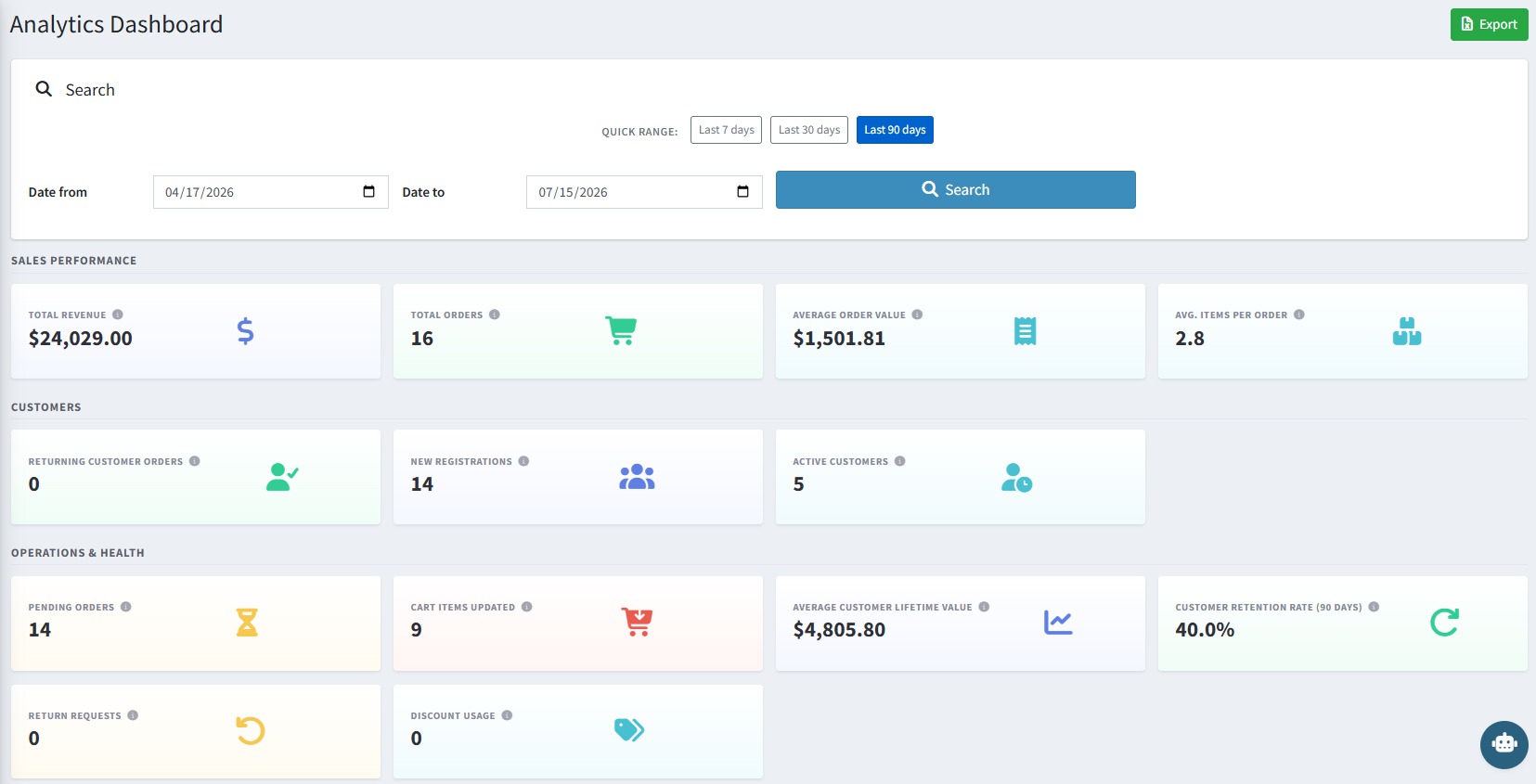
A store manager wants a snapshot of how the store is doing. They open the Analytics Dashboard, click Last 7 days, and instantly see Total Revenue, Total Orders, Average Order Value, and Avg. Items Per Order alongside the Revenue and Orders trend charts.
Conversational Data Queries
Instead of building a custom report, an admin opens the AI Analytics Workspace and types:
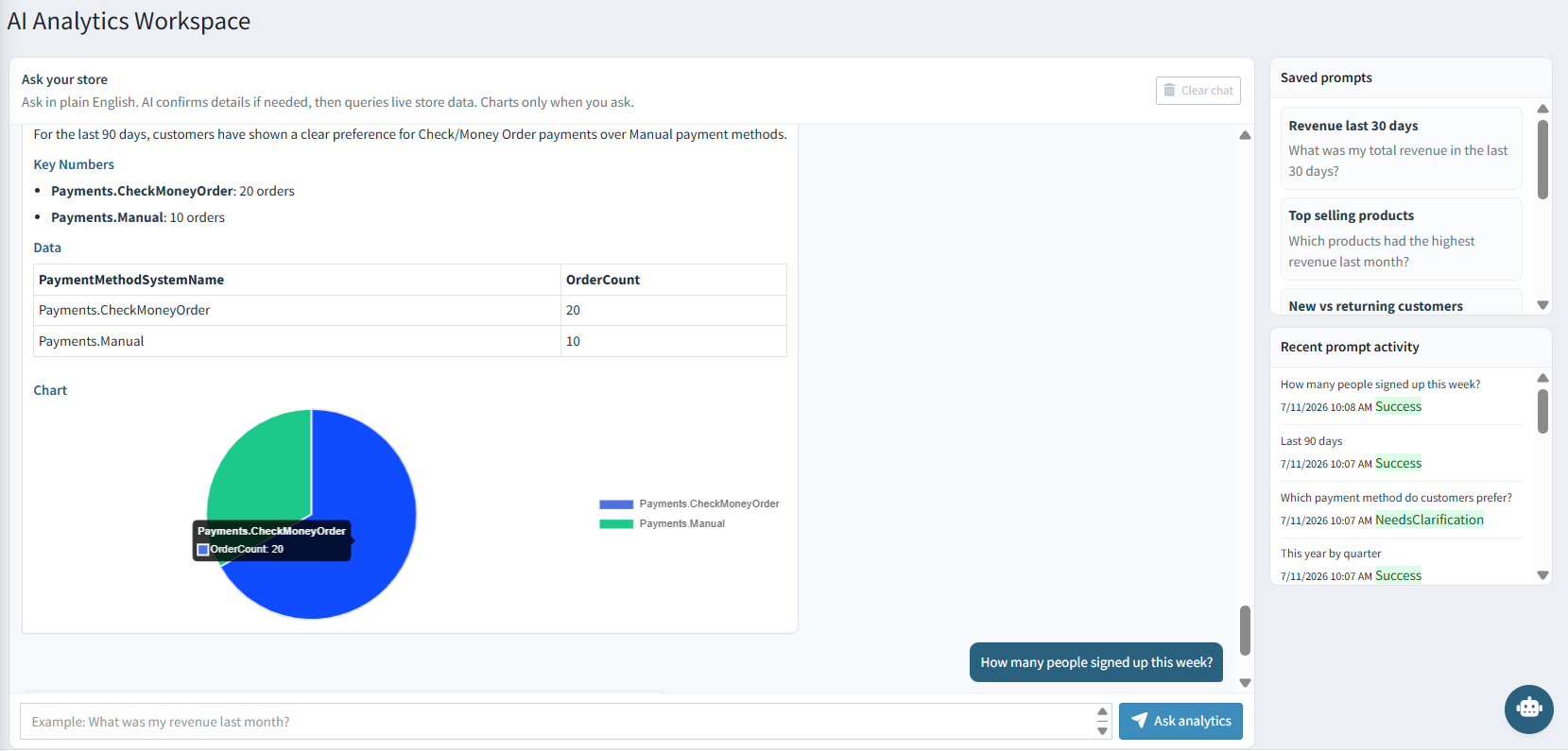
"Which payment method do customers prefer?"
The AI confirms the time period if needed, then responds with the key numbers, a data table, and a chart comparing payment methods — no SQL, no manual export needed.
Tracking Customer Retention
A business owner wants to know whether repeat purchases are improving. On the Analytics Dashboard, they review Customer Retention Rate (90 days) and Average Customer Lifetime Value in the Operations & Health section, and use New vs returning customer orders to see the split between first-time and repeat buyers.
Reusing Recurring Reports
An operations manager checks revenue every Monday morning. Instead of retyping the same question, they save it as "Revenue last 30 days" in the AI Analytics Workspace's Saved Prompts panel and re-run it with a single click each week.
Reviewing Regional & Category Performance
A merchandising team wants to know which regions and categories are driving sales this quarter. They use the Sales by region and Top categories tables on the dashboard to compare quantity and revenue side by side.
Exporting for Reporting
A store owner needs to share monthly performance data with their accountant. They set the date range to the previous month on the Analytics Dashboard and click Export to download an .xlsx file, or ask the AI Analytics Workspace for the same report and export the answer as PDF.
Auditing AI Analytics Usage
A store admin wants to confirm what questions the team has been asking. They open the AI Analytics Workspace and review the Recent Prompt Activity panel, which lists each question with its timestamp and status (Success or Needs Clarification).
What's Out of Scope
The plugin reports only on data available inside nopCommerce. It does not report on external marketing platforms (Google Ads, Meta Ads, social campaigns), website traffic/visitor analytics, email campaign performance, cross-channel attribution, or data from external CRM, POS, or ERP systems — unless that data is otherwise stored inside nopCommerce.
If the AI Analytics Workspace is not responding, check your AI provider and AI API key in Configuration and confirm the model name is correct.