AI Processing Logs
The AI Processing Logs page shows a detailed record of every message the AI has processed. Use it to monitor bot activity, check response accuracy, and diagnose any issues.
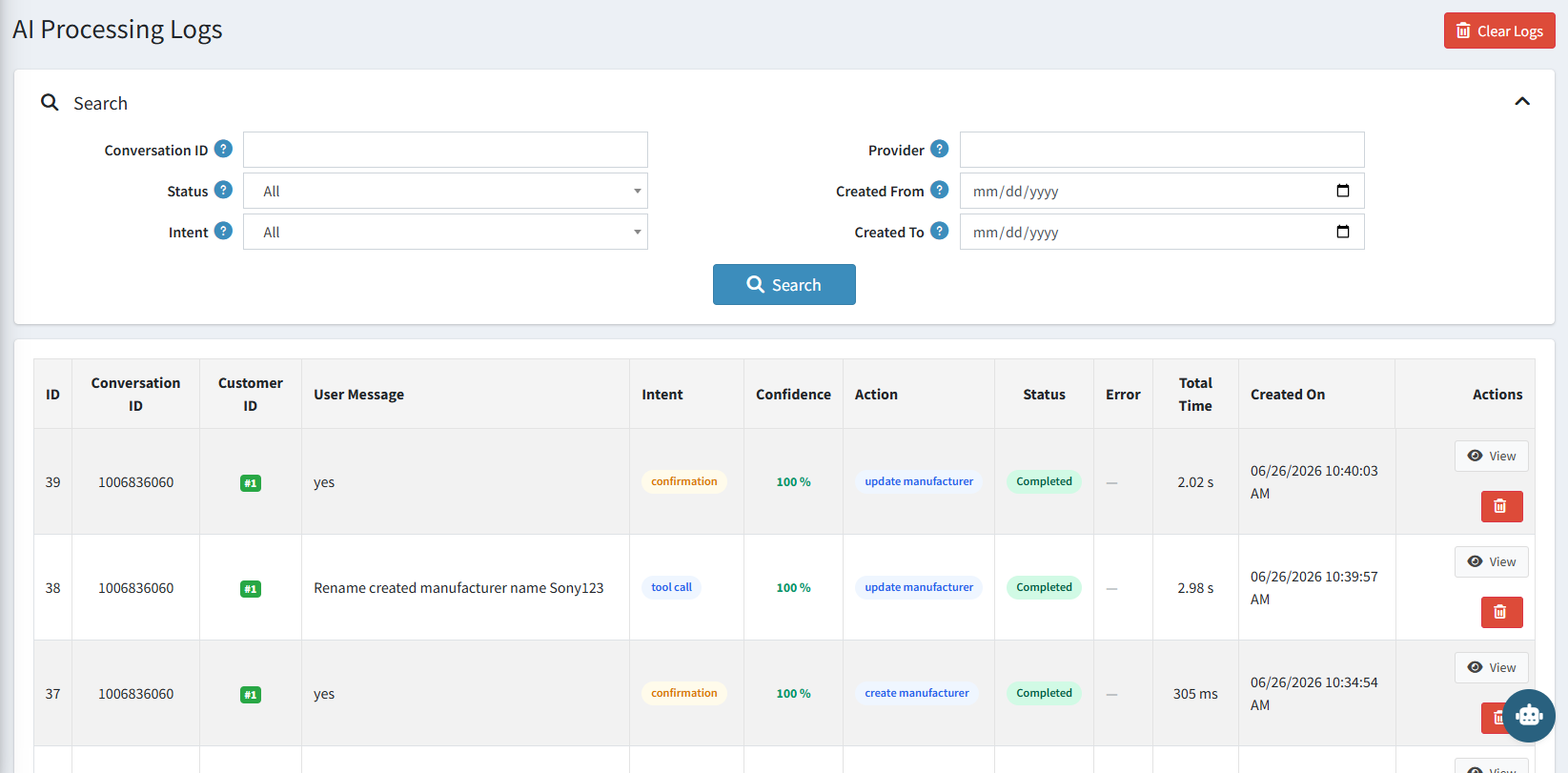
Search and Filter Options
| Filter | Description |
|---|---|
| Conversation ID | Filter logs for a specific conversation. |
| Provider | Filter by the AI model provider used. |
| Status | Filter by outcome — All, Completed, or Error. |
| Intent | Filter by the type of request detected (e.g. tool call, confirmation). |
| Created From / To | Filter logs by a specific date range. |
| Clear Logs | Permanently deletes all log entries. Use with caution. |
Log List Columns
| Column | Description |
|---|---|
| ID | Unique log entry number. |
| Conversation ID | Links the entry to a specific chat session. |
| Customer ID | The admin user who sent the message. |
| User Message | The exact message typed by the user. |
| Intent | What the AI understood the request to be (e.g. tool call, confirmation, general). |
| Confidence | How certain the AI was about its interpretation, shown as a percentage. |
| Action | The specific tool or action the AI executed (e.g. update manufacturer, create manufacturer). |
| Status | Outcome of the request — Completed (green) or Error (red). |
| Error | Error detail if the request failed. |
| Total Time | How long it took to generate and execute the response. |
| Created On | Date and time the message was processed. |
| Actions | View to see full log detail, or delete the entry. |